In India, being seen locally is key to growing. To get noticed by people nearby, you need to know how to shine online. Learning how to rank a business on Google Maps is crucial. It makes sure your brand shows up when it counts.
This guide will show you how to lead in local searches. We’ll cover important steps, like making your profile pop and getting real reviews. Follow these tips to boost your online presence and attract more local customers.
Key Takeaways
- Local search optimization is essential for capturing the Indian market.
- A complete and verified profile acts as the foundation for your visibility.
- Consistent NAP (Name, Address, Phone) data builds trust with search algorithms.
- Customer reviews significantly influence your ranking and consumer decision-making.
- Tracking performance metrics helps you refine your strategy for better results.
How Google Maps Rankings Work for Businesses in India
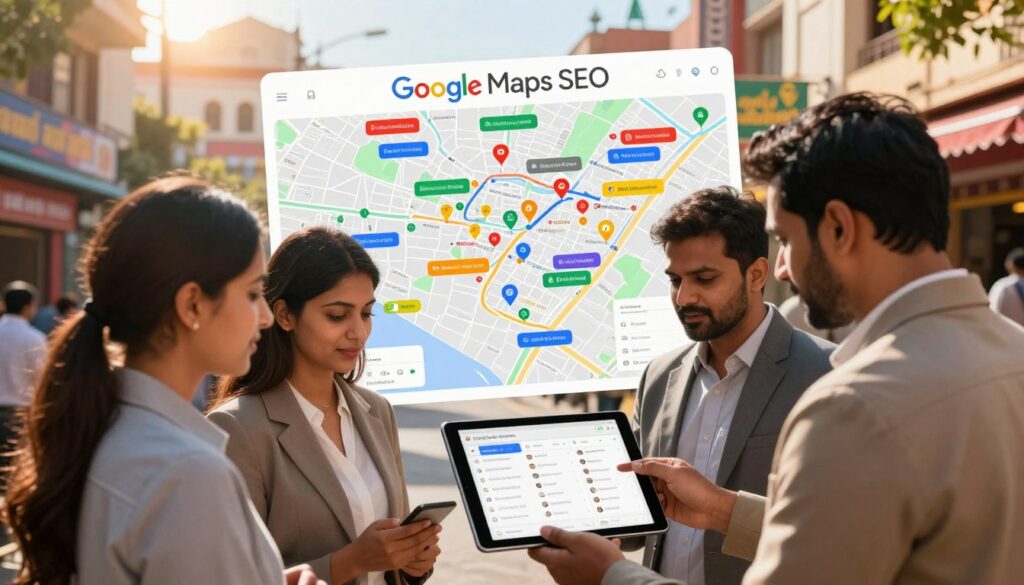
Understanding google maps seo is key. It’s not just about guessing. It’s about research. By studying how Google sees your online presence, you can meet your audience’s needs better.
Understand Google Maps’ Local Ranking Factors
Google looks at three main things when evaluating your business. These Google Maps ranking factors decide if your business shows up first or not.
Relevance, Distance, and Prominence
Relevance is how well your business fits what users are looking for. Distance is how close you are to the person searching. Prominence is how well-known your business is, based on reviews and search authority.
How Searcher Location and Intent Affect Results
Google changes results based on where the user is. If someone is in South Delhi, Google will show nearby businesses. Knowing local search intent is important. It tells if a user wants to visit now or later.
Identify High-Intent Local Searches
Not all searches are the same. Finding phrases that lead to visits is crucial for local seo for google maps.
Service-Based Searches
Users often search for specific services like “plumbing services” or “best dental clinic.” These searches show they’re ready to buy. Make sure your main category matches these services to attract this traffic.
“Near Me” and Location-Specific Searches
“Near me” searches show a user’s intent to act now. Indian local businesses with up-to-date addresses and service areas are more likely to show up.
Check Competitors in the Google Maps Local Pack
The Google Maps Local Pack is very important. To compete, analyze the top three spots.
Compare Categories, Reviews, Photos, and Business Information
Study your competitors’ profiles. Look at their categories, photo uploads, and reviews. This shows what Google values in your industry.
Find Local SEO Gaps in Competing Profiles
See what your competitors lack. Maybe they have bad photos or ignore reviews. By fixing these issues, you can outdo them in local seo for google maps.
| Competitor Metric | Why It Matters | Actionable Insight |
|---|---|---|
| Review Volume | Builds trust and prominence | Request reviews from happy clients |
| Business Category | Defines search relevance | Select the most specific category |
| Photo Quality | Increases user engagement | Upload high-resolution images |
How to Rank a Business on Google Maps with a Complete Google Business Profile
Learning how to rank a business on Google Maps starts with a solid profile. A well-optimized google business profile is like your digital storefront. It helps potential customers in India find you when they need your services.
Claim and Verify the Google Business Profile
Use the Correct Business Name and Address
Your business name must match your real-world signage exactly. Don’t add extra keywords to your name. This violates platform policies and can lead to suspension.
Make sure your address is precise and matches your official documents. This consistency builds trust with search algorithms. It also helps users find your physical office or shop easily.
Complete Google’s Verification Process
Verification proves your business is legitimate. Google usually sends a postcard with a code to your registered address. Some businesses may qualify for phone or email verification.
Completing this process promptly is key. Without verification, your business won’t show up in local search results or the map pack.
Select the Most Accurate Primary and Secondary Categories
Choose a Primary Category That Matches the Main Service
Your primary category is crucial for ranking. Pick the one that best describes your core business, like “Restaurant,” “Law Firm,” or “Plumbing Supply Store.”
Add Relevant Secondary Categories Without Over-Optimizing
Secondary local business categories help Google understand your full offerings. Use these to highlight specific services. But avoid adding irrelevant categories that confuse the algorithm.
| Category Type | Purpose | Best Practice |
|---|---|---|
| Primary | Core Identity | Select only one |
| Secondary | Additional Services | Use 3-5 relevant tags |
| Irrelevant | Keyword Stuffing | Avoid completely |
Write a Localized Business Description
Include Services, Service Areas, and Indian Locations Naturally
Your description should tell customers who you are and what you offer. Mention your specific Indian city or neighborhood to improve local relevance.
Avoid Keyword Stuffing and Promotional Claims
Write for humans, not just for search engines. Avoid stuffing your description with repetitive terms. This can hurt your credibility and ranking potential.
Keep Contact Details and Business Hours Consistent
Optimize the Phone Number, Website, and Appointment Links
Ensure your phone number and website URL are accurate and functional. A broken link or an incorrect number creates a poor user experience and leads to lost leads.
Add Holiday Hours and Special Hours for Indian Festivals
Update your profile for major Indian festivals like Diwali or Holi. Providing accurate holiday hours prevents customer frustration. It shows that your business is active and attentive.
Define Service Areas for Businesses Without Customer-Facing Locations
Follow Google’s Service-Area Business Guidelines
If you operate as a service-area business, you must hide your physical address if you do not serve customers at that location. Instead, define the specific regions or cities you cover.
Prevent Duplicate or Misleading Location Profiles
Avoid creating multiple profiles for the same location. Duplicate listings confuse users and dilute your SEO efforts. This makes it harder to rank effectively.
By maintaining a clean and accurate profile, you set the stage for future success. This includes the ability to generate google reviews for local seo. A well-managed Google Business Profile is the most reliable way to maintain long-term visibility in competitive markets.
Strengthen Your Google Maps SEO with Local Relevance and Trust Signals
To get noticed on Google Maps, you need more than just a basic profile. You must show your business is real and trustworthy. Focus on local relevance to reach the right customers when they need you.
Build a Consistent Local Citation Profile
Match the Business Name, Address, and Phone Number Across Directories
Your local citations prove your business exists. It’s crucial to keep your Name, Address, and Phone number (NAP) the same everywhere. Any small mistake can confuse search engines and harm your google maps seo.
Use Relevant Indian Business Directories and Industry Platforms
Sign up on trusted Indian sites like Justdial, Sulekha, and IndiaMART. These sites give you valuable backlinks that boost your local presence. Keep your info up to date to build trust with search engines.
Optimize the Business Website for Local Search
Create Location and Service Pages for Target Cities
If you serve different areas, make special pages for each. These should highlight local services and landmarks. This helps search engines link your brand to specific places.
Add LocalBusiness Schema Markup and Embedded Google Maps
Use LocalBusiness schema on your site to give search engines clear data. Also, add a Google Map to your contact page. This technical step is key for google business profile optimization.
Publish Useful Google Business Profile Updates
Share Offers, Services, Events, and Local Announcements
Keep your audience interested by posting updates about your business. Share new services or local events. Regular updates show Google your business is active and relevant.
Use Descriptive Images and Calls to Action
Every update should have a clear call to action. Include images that show what makes you unique. This makes your google business profile optimization more effective.
Upload High-Quality Photos and Videos Regularly
Show the Exterior, Interior, Team, Products, and Completed Work
Visuals build trust with potential customers. Show your storefront, team, and finished projects. Real images give a peek into your daily life.
Use Clear, Authentic Visuals Instead of Stock Photography
Avoid generic stock photos. Use original, high-quality images to prove your services. Real visuals are crucial for local seo for google maps.
Earn Relevant Local Links and Community Mentions
Partner with Indian Associations, Publications, and Local Organizations
Get local links from respected Indian groups. Look for chances to be in local news or industry publications. These mentions boost your brand’s trustworthiness.
Promote Sponsorships, Events, and Community Participation
Being active in local events shows your commitment. Sponsorships and festival participation increase your visibility. This community focus leads to more local citations and better search rankings.
| Signal Type | Implementation Method | Impact on Ranking |
|---|---|---|
| NAP Consistency | Directory Audits | High |
| Schema Markup | LocalBusiness Code | Medium |
| Community Links | Local Partnerships | High |
| Visual Content | Authentic Photos | Medium |
Generate Google Reviews for Local SEO and Improve Customer Actions
Starting a strong online reputation is all about getting customer feedback actively. Managing your online presence well shows potential clients how good your brand is. Using google reviews for local seo helps search engines see you as trustworthy and boosts your visibility.
Create a Compliant Review Request Process
Ask Satisfied Customers at the Right Moment
Timing is key when you want real feedback. The best time to ask for a review is right after a happy transaction or when a customer says they’re very satisfied.
Use Email, SMS, WhatsApp, and In-Person Requests Responsibly
Use your usual ways to talk to customers to ask for reviews. You can send an email, a WhatsApp message, or ask in person. Keep your message helpful and not too pushy. A good review request process keeps your profile full of new content.
Make It Easy for Customers to Leave Reviews
Share a Direct Google Review Link or QR Code
Make it easy by giving a direct Google review link to your customers. You can also print a QR code for them to scan at your checkout or on invoices. This makes it easy for them to give feedback right away.
Provide Clear Instructions Without Coaching the Customer’s Words
Let customers share their own stories in their own words. Give them clear steps to find your profile, but don’t tell them what to say.
Respond to Positive and Negative Reviews Professionally
Personalize Responses to Show Local Customer Care
Every reply should be real and made just for that customer. A personalized answer shows you care about customer feedback and want to serve your local community well.
Address Complaints Without Revealing Private Customer Information
Stay calm and professional when dealing with negative Google reviews. Acknowledge the problem publicly, then talk about it privately to solve it without sharing personal info.
Use Review Feedback to Improve the Business Profile and Service
Identify Repeated Service Issues and Customer Questions
Look at your reviews to find common problems or questions. This info is great for making your service better and answering customer concerns.
Reflect Authentic Customer Language in Service Content
Listen to the words customers use to talk about your business. Using their language on your website or profile can help you rank better for what they search for.
Avoid Review Spam and Policy Violations
Do Not Buy Reviews or Offer Incentives for Positive Ratings
Following Google’s review policy is key for success. Never buy reviews or give discounts for good ratings, as this can get you in trouble or even remove your profile.
Report Fake, Abusive, or Irrelevant Reviews Through Google’s Tools
If you see content that breaks the rules, use Google’s tools to report it. Keeping your profile clean and honest is crucial for building trust with your customers.
Measure Google Maps SEO Results and Keep Improving
You can’t improve what you don’t measure, and this is true for local search visibility. A good tracking system lets you fine-tune your google maps seo strategy with real data. This way, your business stays visible to potential customers in India.
Track Google Business Profile Performance
Start by using Google Business Profile insights to see how users interact with your listing. These metrics show your digital footprint and what’s working.
Monitor Calls, Website Visits, Messages, Directions, and Bookings
Check the actions users take after finding your business. Tracking phone calls, website clicks, and direction requests shows if your google business profile optimization is working. High engagement means your profile is catching people’s interest.
Compare Performance by Service, Location, and Time Period
It’s important to look at your data by service, location, and time. This helps you see which areas drive the most traffic. It also shows seasonal trends, helping you use your marketing budget better.
Measure Local Rankings from Multiple Indian Locations
Don’t rely on just one search result. Local search results change based on where you are. Good local seo for google maps means looking at your ranking from different places.
Check Results Across Target Cities and Neighborhoods
Use local rank tracking tools to see how visible you are in places like Mumbai, Delhi, or Bangalore. This detailed view helps you see your reach in every area you serve. It shows where you might be falling behind competitors.
Use Consistent Search Terms Without Relying on a Single Rank Check
Always test your rankings with different keywords that your customers use. Don’t focus on just one term, as search intent changes a lot. Tracking across many terms gives a clearer picture of your market position.
Review and Update the Profile Every Month
A static profile won’t keep high rankings forever. Treat your listing as a living document that needs regular updates. This supports your google reviews for local seo and overall visibility.
Refresh Photos, Services, Posts, Hours, and Business Information
Updating your content monthly shows Google your business is active and reliable. Fresh photos and new posts keep your audience interested. Make sure your business hours are always right, even on holidays or special events.
Correct Suggested Edits and Inaccurate Map Details
Check your profile for any suggested edits from users or automated systems. Inaccurate info can upset customers and hurt your credibility. Fixing these details keeps your business info consistent online.
Prioritize Actions That Increase Qualified Local Leads
Your main goal is to get qualified local leads that turn into sales. Every step you take should be measured by how it affects your sales.
Connect Google Maps Activity to Calls, Forms, and In-Store Visits
Try to link online engagement to offline results. Use unique tracking phone numbers or specific landing pages to track leads from your map listing. This data shows the value of your local search efforts.
Test Profile Improvements and Document Their Results
Try different content types, like videos or specific service descriptions, and track the changes. Keeping records of these tests helps you build a long-term success plan. Use the table below to track your key performance indicators.
| Metric Category | Primary Goal | Tracking Frequency |
|---|---|---|
| Customer Actions | Increase Calls & Bookings | Weekly |
| Local Rankings | Improve Visibility | Monthly |
| Profile Engagement | Boost Interaction | Monthly |
| Lead Conversion | Drive Revenue | Quarterly |
Conclusion
To rank high on search results, you need a strategy that keeps improving. Learning to rank your business on Google Maps is a journey. It involves constant improvement and staying connected with your audience.
Successful brands in India focus on optimizing their Google Business Profile. They make sure their info is up-to-date and looks good. This helps build trust with local customers who use digital maps to find what they need.
Using Google Reviews for local SEO boosts your credibility. Real feedback shows search engines that your business is valuable to the community. This attracts more visitors to your site.
Good Google Maps SEO means watching your performance closely. Work on getting more phone calls, website visits, and people coming to your store. These are signs of your digital success.
Keep your profile updated and talk to your audience to stay ahead. This is how you succeed in your local market.
About Right Click Solutions
Right Click Solutions is a digital marketing and SEO company helping businesses improve their online visibility through effective search engine optimization and digital marketing strategies. The team focuses on helping businesses strengthen their online presence, attract relevant customers, and improve their visibility across search platforms.
Our SEO solutions include local SEO, Google Business Profile optimization, Google Maps SEO, website SEO, content optimization, and other digital marketing services designed to support business growth. By combining technical SEO, local search optimization, relevant content, and ongoing performance improvement, Right Click Solutions helps businesses build a stronger presence in local search.
For businesses targeting customers in Sangvi, Pimpri-Chinchwad, and Pune, effective Google Maps and local SEO strategies can help improve local visibility and make it easier for potential customers to discover the business online.
Frequently Asked Questions
1. How can I rank my business higher on Google Maps in Pune?
To improve Google Maps rankings in Pune, optimize your Google Business Profile, select accurate business categories, maintain consistent business information, add relevant services, publish useful updates, collect genuine customer reviews, and build local relevance through your website and citations.
2. What are the main Google Maps ranking factors?
Important Google Maps ranking factors include relevance, distance, and prominence. A well-optimized Google Business Profile, accurate business information, positive reviews, relevant local content, and consistent online business details can all contribute to stronger local visibility.
3. Can a business in Sangvi rank on Google Maps?
Yes. A business in Sangvi can improve its Google Maps visibility by optimizing its Google Business Profile for its actual location and services. Local SEO activities such as accurate business information, relevant categories, genuine reviews, and locally relevant website content can support better visibility.
4. How can Google Maps SEO help businesses in Pimpri-Chinchwad?
Google Maps SEO can help businesses in Pimpri-Chinchwad appear more prominently when nearby customers search for relevant products or services. Optimizing the Google Business Profile and strengthening local search signals can increase opportunities to attract calls, website visits, enquiries, and directions.
5. How long does it take to rank a business on Google Maps in Pune?
There is no fixed timeframe for Google Maps rankings because results depend on factors such as competition, business location, profile quality, reviews, website authority, and local SEO efforts. Consistent Google Business Profile optimization and local SEO can help build stronger visibility over time.